Sudowrite Review 2026: Best AI for Fiction Writers?
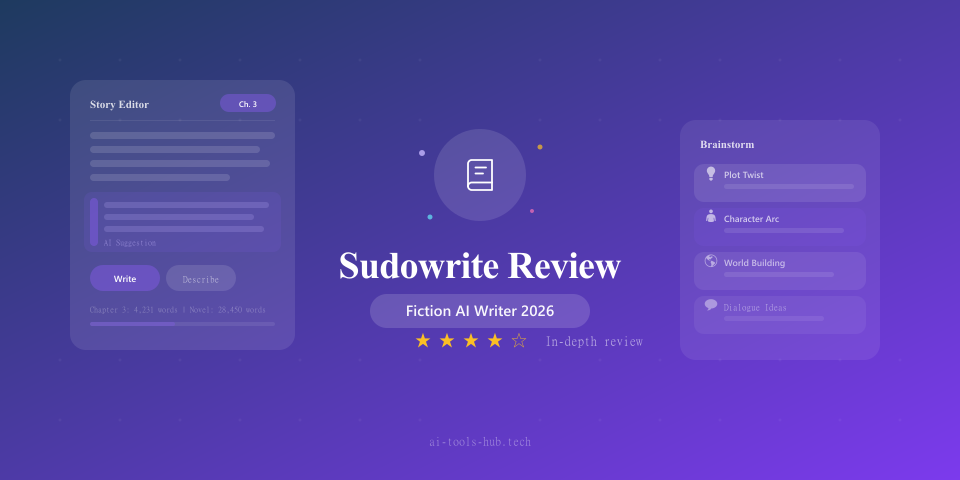
Our in-depth Sudowrite review examines whether this AI writing tool truly helps fiction writers. We tested its story generation, prose editing, and world-building features to give you an honest assessment.
1X2.TV — AI Football Predictions
AI-powered football match predictions, betting tips, and in-depth analysis. Powered by machine learning algorithms analyzing 50,000+ matches.
Get PredictionsMost AI writing tools are built for marketers. They generate blog posts, ad copy, product descriptions, and emails. But if you are a fiction writer, novelist, or screenwriter, those tools miss the mark entirely. Fiction requires creativity, character consistency, narrative structure, and emotional resonance, things that generic AI writers struggle with.
Sudowrite is one of the few AI writing tools designed specifically for creative fiction. It promises to help novelists and storytellers brainstorm, draft, edit, and refine their creative work. We spent three weeks testing it on actual fiction projects to determine whether it lives up to the hype.
What Is Sudowrite?
Sudowrite is an AI writing assistant built exclusively for fiction writers. Unlike general-purpose tools like ChatGPT or marketing-focused platforms like Jasper, Sudowrite is designed around the creative writing process. Its features map to how novelists actually work: brainstorming story ideas, developing characters, drafting scenes, editing prose, and overcoming writer’s block.
The platform launched in 2021 and has steadily added features based on feedback from its community of fiction writers. It uses large language models (including fine-tuned versions optimized for creative writing) and wraps them in an interface designed around storytelling workflows.
Sudowrite Pricing
| Plan | Price | Features |
|---|---|---|
| Hobby & Student | $10/month | 30,000 AI words/month, core features |
| Professional | $25/month | 90,000 AI words/month, all features, priority generation |
| Max | $100/month | 300,000 AI words/month, fastest generation, all features |
All plans include access to the same feature set, with the difference being generation limits and speed. The Hobby plan at $10 per month is affordable for casual writers, while the Professional plan at $25 per month is the sweet spot for serious novelists working on longer projects.
Annual billing is available at roughly a 17 percent discount.
Key Features Tested
Story Engine
The Story Engine is Sudowrite’s flagship feature for generating longer fiction. You provide story elements like genre, characters, setting, conflict, and plot points, and Sudowrite generates chapters or scenes based on those inputs.
How it works in practice: You start by defining your story parameters. This includes a synopsis, character descriptions, tone, point of view, and any specific plot beats you want the chapter to hit. Sudowrite then generates a draft chapter that attempts to follow your specifications.
Our experience: The Story Engine is impressive in its ability to generate coherent scenes that follow your story parameters. In our testing, we created a mystery novel setup and asked it to generate Chapter 1. The output was a readable 2,000-word chapter that introduced the protagonist, established the setting, and set up the central mystery.
However, the prose quality varied significantly. Some passages were genuinely engaging, with strong sensory details and natural dialogue. Others fell into AI writing patterns: overuse of certain phrases, telling instead of showing, and melodramatic emotional descriptions. About 50 percent of the generated text was usable as a starting point for revision, which is better than what we get from general-purpose AI tools for fiction.
Verdict: The Story Engine is best used as a drafting accelerator rather than a finished-copy generator. It gives you material to work with, which is valuable when facing a blank page.
Describe Feature
The Describe feature expands on brief descriptions, adding sensory details, metaphors, and atmospheric elements. Select a sentence like “The room was old” and Describe might offer variations like enriching descriptions that add visual, auditory, and tactile details.
Our experience: This is one of Sudowrite’s most immediately useful features. It consistently generated evocative descriptions that were better than what most writers would produce in a first draft. The suggestions often included creative metaphors and sensory details that sparked further ideas.
The feature offers multiple variations, so you can choose the one that best fits your scene’s tone. It also lets you specify which senses to emphasize, which is helpful for maintaining variety in your descriptive prose.
Verdict: Excellent. This feature genuinely improves prose quality and helps writers find more vivid ways to describe scenes and settings.
Brainstorm
The Brainstorm feature generates story ideas, plot twists, character motivations, dialogue options, and scene possibilities based on your story context. You can ask it open-ended questions about your story, and it provides multiple creative suggestions.
Our experience: Brainstorm was hit-or-miss. About 30 percent of the suggestions were genuinely creative and useful, the kind of ideas that might take a writer hours to develop independently. Another 40 percent were reasonable but obvious. The remaining 30 percent were generic or irrelevant.
The best results came when we provided detailed context about our story. Vague prompts like “what should happen next” produced generic suggestions. Specific prompts like “my detective just discovered the alibi is fake, but she has a personal connection to the suspect, what internal conflict would make this scene more compelling” produced much more useful responses.
Verdict: Useful as a brainstorming partner, but works best when you bring specific questions rather than open-ended requests.
Rewrite Feature
Rewrite offers alternative versions of selected text. You can request changes in tone, pacing, point of view, or overall style. It is designed for the editing and revision phase of writing.
Our experience: The Rewrite feature is solid for polishing prose. It is particularly good at tightening wordy passages, varying sentence structure, and adjusting tone. We used it to convert a melodramatic scene into something more understated, and the result was noticeably better.
The feature is less effective for major structural rewrites. Asking it to fundamentally change how a scene works or alter a character’s arc requires more context than the tool can process in a single rewrite operation.
Verdict: Good for sentence-level and paragraph-level revisions. Not a substitute for structural editing.
Twist Feature
Twist generates unexpected plot developments based on your current story. It analyzes where your narrative is heading and suggests surprising alternatives.
Our experience: This feature is fun but inconsistent. Some of the suggested twists were genuinely surprising and narratively coherent. Others were random and would not work within the story’s logic. The best approach is to generate multiple twists and use them as inspiration rather than taking any single suggestion at face value.
Verdict: A useful creative exercise that occasionally produces brilliant ideas. Treat it as a brainstorming tool rather than a plot generator.
Character Development Tools
Sudowrite includes tools for creating and maintaining character profiles. You can define characters with physical descriptions, personality traits, backgrounds, motivations, and speech patterns. The tool then attempts to maintain character consistency across generated scenes.
Our experience: Character consistency is one of the hardest challenges for AI fiction generation, and Sudowrite handles it better than any general-purpose tool we have tested. When we defined a character as sarcastic and introverted, the generated dialogue generally reflected those traits. It was not perfect, but it was noticeably more consistent than what ChatGPT or Claude produce when generating fiction.
Verdict: Character tools add real value for longer projects where consistency matters.
Sudowrite vs. General AI Tools for Fiction
Sudowrite vs. ChatGPT
ChatGPT can generate fiction, and the raw writing quality of GPT-4o is sometimes better than Sudowrite’s outputs. However, ChatGPT lacks the fiction-specific features that make Sudowrite practical for sustained creative work. It does not maintain story context across sessions, has no character management, and does not offer the specialized Describe, Brainstorm, or Rewrite tools.
For a single scene or short story, ChatGPT works fine. For a novel-length project, Sudowrite’s structured approach is significantly more practical.
Sudowrite vs. Claude
Claude produces arguably the best AI fiction prose in terms of quality and nuance. Its understanding of narrative structure, character voice, and emotional subtlety is impressive. But like ChatGPT, it is a general-purpose tool without fiction-specific features.
Writers who want the highest quality output for individual scenes might prefer Claude. Writers who want a structured creative workflow with story management tools will get more from Sudowrite.
Sudowrite vs. NovelAI
NovelAI is another fiction-focused AI tool with a loyal following. It offers more granular model control and custom training options, which appeals to technically inclined writers. Sudowrite has a more polished interface and better high-level features like Story Engine and Brainstorm. NovelAI excels at fine-tuned prose generation while Sudowrite provides a more complete creative workflow.
Who Should Use Sudowrite?
Sudowrite is ideal for:
- Novelists who struggle with writer’s block and need drafting assistance
- Fiction writers who want AI-enhanced editing and prose improvement
- NaNoWriMo participants looking to accelerate their daily word count
- Screenwriters and storytellers who want brainstorming support
- Hobbyist writers exploring creative fiction with AI assistance
Sudowrite is not the best choice for:
- Non-fiction writers, bloggers, or marketers (use Jasper, Writesonic, or ChatGPT instead)
- Literary fiction writers who need highly distinctive prose voices
- Writers who want AI to produce finished, publication-ready fiction
- Anyone looking for free AI writing tools (the free tier is very limited)
Pros and Cons
Pros:
- Purpose-built for fiction writing with features that match creative workflows
- Describe feature genuinely improves prose quality
- Story Engine helps overcome blank-page paralysis
- Character consistency tools work well for longer projects
- Affordable Hobby plan at $10 per month
- Active community of fiction writers providing feedback
Cons:
- Generated fiction still requires significant editing
- Story Engine outputs can be formulaic and rely on common tropes
- Brainstorm feature quality is inconsistent
- Word limits on lower-tier plans can be restrictive for heavy users
- No mobile app for writing on the go
- Learning curve to use features effectively within a writing workflow
Tips for Getting the Most from Sudowrite
-
Use detailed story parameters. The more context you provide about your characters, setting, and tone, the better the generated content matches your vision.
-
Treat Story Engine output as a first draft, not a final draft. Plan to rewrite 50 to 70 percent of generated text.
-
Use Describe for revision, not drafting. Write your scene first with basic descriptions, then use Describe to enrich them.
-
Combine Sudowrite with a general AI tool. Use ChatGPT or Claude for brainstorming and character development conversations, then use Sudowrite for the actual writing workflow.
-
Focus on the features that save you time. Not every feature will be useful for your process. Some writers love Story Engine while others find Describe or Rewrite more valuable.
The Verdict
Sudowrite earns a 7.5 out of 10 for fiction writers. It is the best AI tool specifically designed for creative writing, and its specialized features provide genuine value that general-purpose tools cannot match. The Describe feature, character management, and Story Engine create a workflow that makes sense for how novelists actually work.
However, expectations need to be calibrated. Sudowrite will not write your novel for you. It will not produce prose that matches a skilled human writer’s finished output. What it will do is help you generate material, overcome creative blocks, and improve your prose during editing. For many fiction writers, that is enough to justify the subscription.
Our recommendation: If you write fiction regularly and occasionally struggle with pacing, descriptions, or blank-page anxiety, the Professional plan at $25 per month is worth trying. If you are a casual fiction writer, the Hobby plan at $10 per month provides enough to be useful. If you write exclusively non-fiction, look elsewhere.
We independently test and review AI tools. While some links may be affiliate links, this never influences our editorial recommendations. Read our disclaimer for more details.
AI Stock Predictions — Smart Market Analysis
AI-powered stock market forecasts and technical analysis. Get daily predictions for stocks, ETFs, and crypto with confidence scores and risk metrics.
See Today's PredictionsAI Tools Hub Team
Expert AI Tool Reviewers
Our team of AI enthusiasts and technology experts tests and reviews hundreds of AI tools to help you find the perfect solution for your needs. We provide honest, in-depth analysis based on real-world usage.