Replit AI Review 2026: Code, Deploy, and Ship with AI
A full review of Replit AI in 2026 covering its browser-based IDE, AI code generation, instant deployment, pricing, and who benefits most from the platform.
1X2.TV — AI Football Predictions
AI-powered football match predictions, betting tips, and in-depth analysis. Powered by machine learning algorithms analyzing 50,000+ matches.
Get PredictionsReplit has carved out a distinctive niche in the AI coding landscape. While GitHub Copilot and Cursor focus on making experienced developers faster, Replit AI aims to make coding accessible to everyone — and to make the entire journey from idea to deployed application as frictionless as possible.
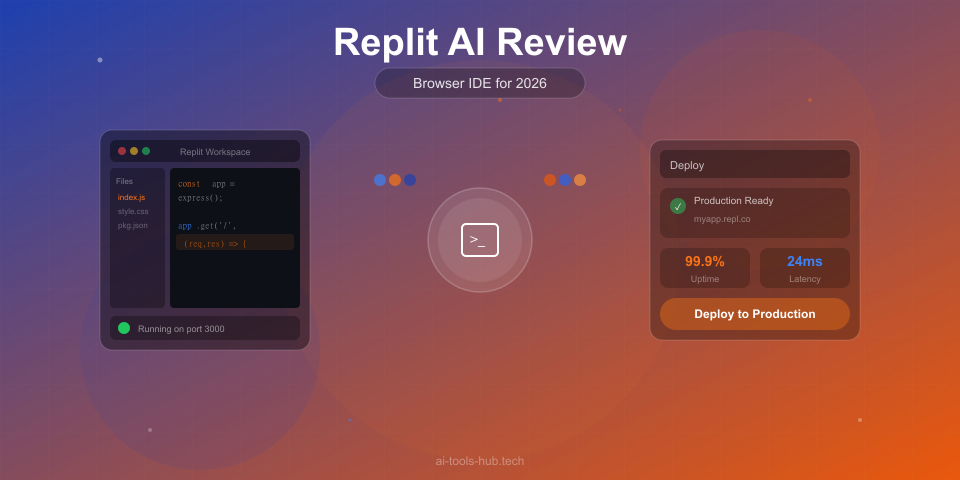
The platform combines a browser-based IDE, AI code generation, instant hosting, and a collaborative environment into a single product. You do not install anything. You do not configure a development environment. You describe what you want, and Replit builds it.
We spent two weeks using Replit AI for prototyping, learning projects, and small production applications to evaluate where it excels and where it falls short.
What Is Replit?
Replit is a browser-based development platform that lets you write, run, and deploy code without any local setup. Founded in 2016, it started as an online REPL (Read-Eval-Print Loop) for running code snippets and has grown into a full development environment with AI capabilities.
Replit AI is the AI layer built into this platform. It includes an AI chat assistant, code completion, an AI agent that can build applications from natural language descriptions, and integrated deployment. Everything runs in the browser, and your projects are hosted on Replit’s infrastructure.
Pricing
| Plan | Price | Key Features |
|---|---|---|
| Free | $0 | Basic AI completions, limited compute, community hosting |
| Replit Core | $25/month | Full AI features, more compute, custom domains, always-on hosting |
| Teams | $30/month per user | Team management, private repls, shared environments |
The free tier provides a genuine experience of Replit AI but with meaningful limitations on AI usage and compute resources. The Core plan at $25 per month unlocks the full AI feature set and gives you enough compute for small production applications.
Compared to GitHub Copilot at $10 per month, Replit is significantly more expensive. But you are not just paying for AI code completion — you are paying for the entire development and deployment platform.
The AI Agent: Building Apps from Descriptions
Replit’s most impressive feature is its AI agent, which can generate entire applications from natural language descriptions. You describe what you want — “build a task management app with user authentication, a REST API, and a React frontend” — and the agent creates the project structure, writes the code, installs dependencies, and deploys it to a live URL.
What works well:
- Simple to moderately complex web applications are generated with reasonable quality
- The agent understands common patterns for full-stack applications
- Generated code includes basic error handling and decent structure
- You get a working, deployed application in minutes rather than hours
- The agent can iterate on your feedback and make changes
Where it struggles:
- Complex business logic often requires significant manual correction
- Generated code does not always follow best practices for production applications
- The agent can get stuck in loops when requirements are ambiguous
- Performance optimization is not a priority in generated code
- Large applications with many interacting components often have integration issues
For prototyping and proof-of-concept work, the AI agent is remarkably effective. You can go from idea to a working demo faster than with any other tool we have tested. For production applications, you will need to treat the generated code as a starting point that requires refinement.
Code Completion
Replit AI provides inline code completions similar to Copilot. As you type in the Replit editor, ghost text appears with suggested code. The quality is decent but not at the same level as dedicated tools.
In our testing, the acceptance rate was approximately 50 percent for Python and 47 percent for JavaScript. This is below Copilot (64 percent and 62 percent respectively) but competitive with the free tier of other tools.
The completions are better when working within the patterns that Replit’s AI has been optimized for: web applications, API servers, and common programming exercises. For specialized domains like systems programming, data science, or embedded development, the suggestions thin out considerably.
Chat Assistant
The Replit AI chat understands your project files and can answer questions about your code, help debug errors, and suggest improvements. The chat quality is good for learning-oriented interactions — it explains concepts clearly and at an appropriate level for the question.
Strengths:
- Excellent at explaining code to beginners
- Good at diagnosing common runtime errors
- Understands your project context and can reference specific files
- Provides step-by-step guidance for implementing features
Weaknesses:
- Less capable than Claude or GPT-4o for complex architectural questions
- Can be overly verbose in explanations
- Occasionally suggests solutions that do not fit the project’s existing patterns
- Limited knowledge of advanced or niche frameworks
For learning and debugging, the chat is one of Replit’s strongest features. It feels like having a patient tutor who knows your code. For advanced development questions, you will want to complement it with a more capable reasoning tool.
The Development Environment
Replit’s browser-based IDE is functional but not comparable to VS Code or JetBrains for professional development:
What is good:
- Zero setup — open a browser and start coding
- Built-in terminal, package manager, and debugger
- Multiplayer editing for real-time collaboration
- Instant deployment to a live URL
- Works on any device with a browser, including tablets
What is limited:
- Editor features are basic compared to VS Code
- No extension ecosystem
- Performance can lag on complex projects
- Limited customization options
- Version control integration is basic
- Large file editing can be sluggish
The development environment is clearly optimized for smaller projects and learning contexts. Professional developers used to VS Code or JetBrains will find it restrictive, but beginners and casual developers will appreciate the simplicity.
Deployment and Hosting
One of Replit’s genuine innovations is integrated deployment. Every project can be deployed to a live URL with a single click. The free tier provides community-hosted URLs that sleep after inactivity. The Core plan provides always-on hosting with custom domains.
For prototypes, demos, and small projects, this is incredibly convenient. You never need to set up a server, configure DNS, or manage deployment pipelines. The trade-off is that you are limited to Replit’s infrastructure and cannot customize the hosting environment significantly.
For production applications with meaningful traffic, you will eventually need to migrate to a proper hosting platform. But for getting something live quickly, Replit’s deployment is unmatched.
Use Cases Where Replit Excels
Learning to code: Replit AI is arguably the best platform for beginners learning to program. The combination of an AI tutor, zero-setup environment, and instant feedback creates an ideal learning experience. Write code, see results immediately, and ask the AI when you get stuck.
Hackathons and prototyping: When speed matters more than code quality, Replit’s AI agent can generate a working prototype in minutes. This is invaluable for hackathons, client demos, and proof-of-concept work.
Collaborative projects: The multiplayer editing and shared environments make Replit excellent for pair programming and team learning exercises. Everyone can edit the same code simultaneously, and the AI assistant is available to all participants.
Small web applications: For personal projects, internal tools, and small web applications that do not need enterprise-scale infrastructure, Replit provides the fastest path from idea to deployed product.
Use Cases Where Replit Struggles
Professional production development: The editor limitations, basic version control, and lack of customization make Replit impractical for professional codebases.
Complex backends and microservices: Applications with multiple services, complex database schemas, and intricate business logic quickly outgrow Replit’s environment.
Performance-critical applications: You have limited control over the runtime environment, and Replit’s containers are not optimized for high-performance workloads.
Enterprise and compliance: Replit’s hosting does not offer the security certifications, data residency controls, or audit logging that enterprise applications require.
Replit vs Other AI Coding Tools
| Feature | Replit AI ($25/mo) | Copilot ($10/mo) | Cursor ($20/mo) |
|---|---|---|---|
| App generation from description | Excellent | Not available | Limited |
| Code completion quality | Good | Excellent | Excellent |
| IDE quality | Basic (browser) | VS Code + others | VS Code fork |
| Deployment | Built-in, instant | Not included | Not included |
| Learning support | Excellent | Good | Limited |
| Production readiness | Limited | N/A (editor-only) | N/A (editor-only) |
| Setup required | None | Extension install | Editor install |
Replit is not really a direct competitor to Copilot and Cursor. It serves a different audience and solves a different problem. Copilot and Cursor make experienced developers faster. Replit makes coding accessible to everyone and simplifies the entire development lifecycle.
Who Should Use Replit AI?
Replit is ideal for:
- Beginners learning to code who want zero-friction setup and a built-in AI tutor
- Developers who need to prototype ideas quickly
- Hackathon participants who need to go from idea to demo fast
- Educators teaching programming courses
- Non-technical founders who want to build simple MVPs
- Anyone who wants to deploy a small web application without managing infrastructure
Replit is not ideal for:
- Professional developers working on production codebases
- Teams that need enterprise-grade security and compliance
- Developers who rely on specific IDE extensions and customization
- Performance-critical applications
- Large-scale applications with complex architecture
- Developers who prefer working locally
Pros and Cons Summary
Pros:
- Zero setup — open a browser and start building
- AI agent can generate entire applications from descriptions
- Instant deployment to live URLs
- Excellent for learning with patient, context-aware AI explanations
- Multiplayer editing for real-time collaboration
- Works on any device with a browser
Cons:
- Code completion quality is behind dedicated tools like Copilot
- Browser-based editor is limited compared to VS Code or JetBrains
- $25 per month is expensive relative to what you get for AI completions alone
- Not suitable for professional production codebases
- Limited customization and extension support
- Hosting is constrained to Replit’s infrastructure
The Verdict
Replit AI is the best platform for beginners and the fastest way to go from idea to deployed application. Its AI agent’s ability to generate working apps from descriptions, combined with zero-setup development and instant deployment, creates an experience that no other tool matches.
However, it is not a replacement for professional development tools. The editor is too basic, the hosting too limited, and the AI completion quality too far behind Copilot and Cursor for professional workflows. Think of Replit as the on-ramp to coding, not the highway.
If you are learning to code, prototyping an idea, or building a small project you want deployed quickly, Replit AI is an excellent choice. If you are a professional developer looking for the best AI code completion, look at Copilot or Cursor instead.
Our Rating: 8.2 out of 10
Compare Replit with other tools in our best AI coding assistants guide.
This article contains affiliate links. If you purchase through our links, we may earn a commission at no extra cost to you. See our affiliate disclaimer for details.
AI Stock Predictions — Smart Market Analysis
AI-powered stock market forecasts and technical analysis. Get daily predictions for stocks, ETFs, and crypto with confidence scores and risk metrics.
See Today's PredictionsAI Tools Hub Team
Expert AI Tool Reviewers
Our team of AI enthusiasts and technology experts tests and reviews hundreds of AI tools to help you find the perfect solution for your needs. We provide honest, in-depth analysis based on real-world usage.