Notion AI Review 2026: Is It Worth the Upgrade?
Hands-on review of Notion AI — we test writing, summarizing, and organizing features. Find out if the AI add-on is worth paying for.
1X2.TV — AI Football Predictions
AI-powered football match predictions, betting tips, and in-depth analysis. Powered by machine learning algorithms analyzing 50,000+ matches.
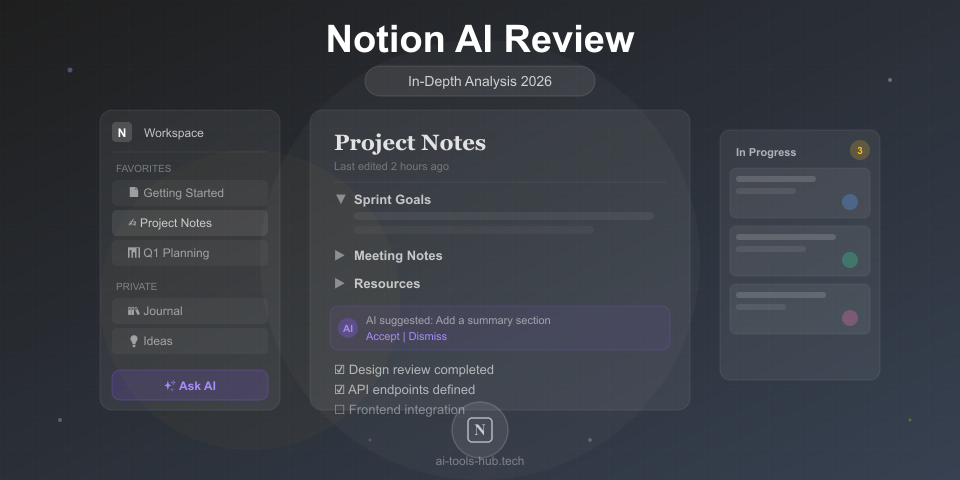
Get PredictionsNotion has been the go-to workspace app for millions of users. In 2026, Notion AI is built directly into every plan, promising to make your notes, docs, and databases smarter. But does it actually deliver meaningful value? We spent a month testing every AI feature.
Quick Verdict
| Feature | Rating |
|---|---|
| AI Writing | 8/10 |
| Summarization | 9/10 |
| Q&A on Your Docs | 8.5/10 |
| Autofill in Databases | 9/10 |
| Value for Money | 8/10 |
| Overall | 8.5/10 |
Bottom line: Notion AI is genuinely useful if you already live in Notion. The summarization and database autofill features alone save hours per week. Writing quality is good but not best-in-class — for serious writing, dedicated AI writing tools still outperform it.
What Notion AI Can Do
1. Write and Edit Content
Ask Notion AI to draft blog posts, meeting agendas, project briefs, emails, or any other document. You can also highlight existing text and ask it to improve, shorten, expand, or change the tone.
Our test: We asked it to draft a project proposal. The result was well-structured with clear sections, but the content was somewhat generic. It works best as a starting point that you then customize.
Rating: 8/10 — Good for first drafts and editing, but Claude or ChatGPT produce better long-form content.
2. Summarize Anything
This is where Notion AI truly shines. Select any page — meeting notes, research docs, lengthy reports — and get an instant summary. It also works across databases, summarizing multiple entries at once.
Our test: We fed it a 5,000-word research document. The summary captured all key points in 3 concise paragraphs, missing nothing important.
Rating: 9/10 — Excellent summarization that actually understands context.
3. Q&A Across Your Workspace
Ask questions about your Notion workspace and get answers that reference your actual docs, meeting notes, and databases. This is like having a search engine that actually understands your content.
Our test: “What decisions were made in last month’s product meetings?” — It correctly identified decisions across 4 separate meeting notes pages.
Rating: 8.5/10 — Incredibly useful for teams with lots of documentation.
4. Database Autofill
The killer feature for power users. Set up AI properties in databases that automatically categorize, tag, summarize, or extract information from entries.
Examples:
- Auto-categorize support tickets by priority
- Extract action items from meeting notes
- Generate summaries for each entry in a content calendar
- Tag tasks by department based on descriptions
Rating: 9/10 — This alone justifies the cost for database-heavy workflows.
Pricing
Notion AI is now included in all paid plans:
- Free: Limited AI usage
- Plus: $10/user/month — includes AI
- Business: $18/user/month — includes AI + advanced features
- Enterprise: Custom pricing
Previously, AI was a $10/user/month add-on. Including it in all paid plans significantly improves the value proposition.
Notion AI vs Alternatives
| Feature | Notion AI | ChatGPT | Claude | Google Docs AI |
|---|---|---|---|---|
| Writing quality | Good | Excellent | Excellent | Good |
| Works with your docs | Excellent | Limited | Limited | Good |
| Summarization | Excellent | Good | Excellent | Good |
| Database features | Excellent | None | None | None |
| Price | Included | $20/mo | $20/mo | Included |
Notion AI’s advantage isn’t raw writing quality — it’s context. It knows your workspace, your projects, and your data. That context-awareness makes it more useful for day-to-day work than a standalone AI chat.
Who Should Use Notion AI
Great for:
- Teams already using Notion for project management
- Knowledge workers who need to find info across many docs
- Managers who need meeting summaries and action items
- Content teams managing editorial calendars
- Anyone with heavy database workflows
Not ideal for:
- Long-form content writing (use Claude or ChatGPT instead)
- Image generation (no built-in capability)
- Coding tasks (use dedicated coding tools)
Our Final Take
Notion AI is a solid 8.5/10. It’s not the most powerful AI you can use, but it’s the most seamlessly integrated. The fact that it understands your workspace context makes it uniquely valuable for productivity. If you’re already a Notion user on a paid plan, you get AI included — and you should absolutely be using it.
If you’re not yet a Notion user, this alone isn’t a reason to switch. But combined with Notion’s excellent workspace features, the AI makes an already great product even better.
This review is based on 4 weeks of daily use testing Notion AI features. Read our disclaimer for our review methodology.
AI Stock Predictions — Smart Market Analysis
AI-powered stock market forecasts and technical analysis. Get daily predictions for stocks, ETFs, and crypto with confidence scores and risk metrics.
See Today's PredictionsAI Tools Hub Team
Expert AI Tool Reviewers
Our team of AI enthusiasts and technology experts tests and reviews hundreds of AI tools to help you find the perfect solution for your needs. We provide honest, in-depth analysis based on real-world usage.