Midjourney Review 2026: Best AI Art Generator?
In-depth Midjourney review for 2026 covering v7 features, pricing, image quality, prompt tips, and how it compares to DALL-E 3, Stable Diffusion, and Flux. Is it still the best AI art generator?
1X2.TV — AI Football Predictions
AI-powered football match predictions, betting tips, and in-depth analysis. Powered by machine learning algorithms analyzing 50,000+ matches.
Get PredictionsMidjourney has been at the forefront of AI image generation since its launch in 2022. With the release of version 7 in early 2026, the platform has cemented its position as the go-to tool for creators who demand the highest aesthetic quality from their AI-generated images. But with fierce competition from DALL-E 3, Flux Pro, and Stable Diffusion, is Midjourney still worth your money in 2026?
In this comprehensive review, we put Midjourney v7 through extensive testing across dozens of use cases to answer that question definitively.
What Is Midjourney?
Midjourney is a generative AI service that creates images from text prompts. Founded by David Holz, the company operates primarily through Discord, though a dedicated web application has been rolling out throughout 2025 and into 2026. Unlike open-source alternatives, Midjourney is a closed-source, subscription-based service that handles all image generation on its own servers.
The platform has consistently prioritized artistic quality and aesthetics over photorealism, making it the preferred choice for illustrators, concept artists, graphic designers, and creative professionals who want images with a polished, intentional look.
Midjourney v7: What Is New
Version 7 represents a significant leap forward in several key areas that address longstanding user complaints while pushing the quality ceiling even higher.
Improved Anatomy and Hands
One of the most celebrated improvements in v7 is dramatically better human anatomy. Earlier versions of Midjourney were notorious for producing images with distorted hands, extra fingers, and awkward body proportions. Version 7 handles hands, faces, and full-body compositions with significantly greater accuracy. While not perfect in every generation, the improvement is immediately noticeable.
Enhanced Text Rendering
Midjourney v7 can now render short text in images with reasonable accuracy. While it still struggles with longer passages, it handles titles, logos, and short phrases much better than v6. This makes it more practical for creating social media graphics, poster concepts, and branding mockups.
Better Prompt Adherence
Version 7 demonstrates markedly improved understanding of complex, multi-element prompts. If you ask for a specific arrangement of objects, lighting conditions, or compositional choices, v7 follows those instructions more faithfully than any previous version.
Personalization and Style Tuning
The new style tuning feature allows users to train the model on their aesthetic preferences. By rating a set of generated images, Midjourney builds a style profile that influences all future generations. This is a game-changer for creators who need consistent visual branding across multiple images.
Higher Native Resolution
Version 7 generates images at higher native resolutions, reducing the need for upscaling. The default output is now 1536x1536 pixels, with upscaled versions reaching 4096x4096 without significant quality loss.
Image Quality Assessment
We tested Midjourney v7 across ten distinct categories to evaluate its image quality comprehensively.
Artistic and Illustrative Work: 10/10
This is where Midjourney truly shines. Whether you are generating fantasy landscapes, character concepts, abstract art, or stylized illustrations, the results are consistently stunning. The model has an innate sense of composition, color harmony, and lighting that produces images with a hand-crafted quality.
Photorealism: 8.5/10
While Midjourney v7 has improved its photorealistic capabilities, it still falls slightly behind Flux Pro in this category. Images that aim for photorealism sometimes have a subtle “AI sheen” that trained eyes can detect. That said, for most practical applications like blog imagery, social media, and marketing materials, the photorealistic output is more than sufficient.
Architecture and Interior Design: 9/10
Midjourney excels at generating architectural visualizations and interior design concepts. The model understands spatial relationships, material textures, and lighting conditions well, producing images that are useful for mood boards and initial concept presentations.
Character Design: 9.5/10
For game developers, illustrators, and storytellers, Midjourney v7 is exceptional at generating character designs. It handles a wide range of styles from realistic to cartoon and understands concepts like armor design, clothing folds, and character expressions with impressive nuance.
Product Photography: 8/10
Midjourney can generate convincing product photography mockups, but it sometimes struggles with precise geometric shapes and reflective surfaces. It works well for conceptual product shots but may need additional editing for final commercial use.
Typography and Text: 7/10
The text rendering improvements in v7 are welcome but still inconsistent. Short words and titles work reasonably well, but anything beyond a few words tends to degrade. For text-heavy images, Ideogram remains a better choice.
How to Use Midjourney in 2026
Discord Interface
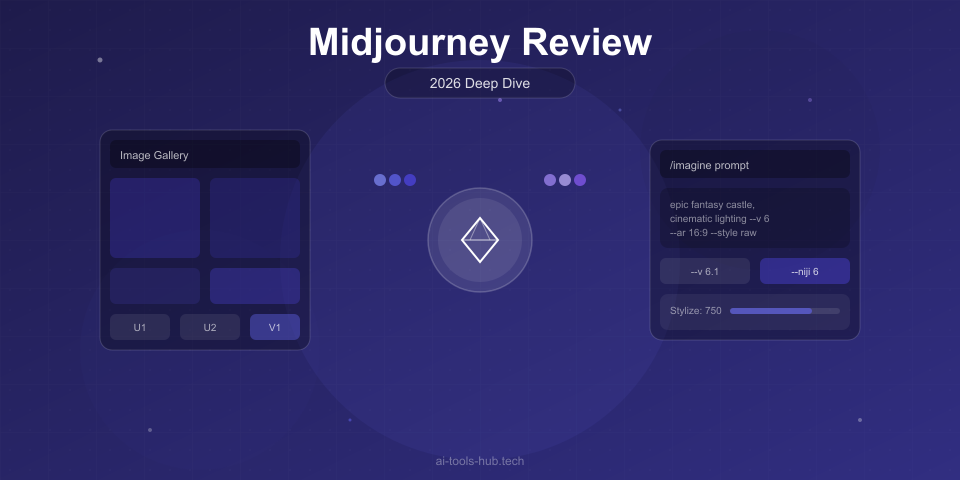
The traditional way to use Midjourney is through Discord. You join the Midjourney Discord server, navigate to one of the generation channels, and type your prompts using the /imagine command. While functional, this interface can feel clunky, especially for new users unfamiliar with Discord.
Web Application
The Midjourney web app, which has been in gradual rollout, offers a much more intuitive experience. It features a clean interface for prompt entry, image galleries, and editing tools. The web app also provides better organization for your generated images and more granular control over generation parameters.
Key Parameters
Midjourney offers numerous parameters to control your generations:
- —ar (aspect ratio): Set custom dimensions like —ar 16:9 or —ar 2:3
- —stylize (or —s): Control how strongly Midjourney applies its aesthetic. Lower values follow prompts more literally; higher values allow more artistic freedom
- —chaos: Increase variation between generated images in a set
- —weird: Push results toward more unusual and experimental outputs
- —no: Negative prompting to exclude specific elements
- —tile: Create seamless tileable patterns
- —style raw: Produce less opinionated, more literal interpretations
Prompt Engineering Tips for Midjourney v7
Getting the best results from Midjourney requires understanding how to craft effective prompts. Here are strategies that work especially well with v7.
Be Specific About Lighting
Instead of simply saying “good lighting,” specify the type. Phrases like “golden hour backlighting,” “dramatic chiaroscuro,” “soft diffused studio lighting,” or “neon-lit cyberpunk atmosphere” produce dramatically different and more intentional results.
Reference Art Styles and Movements
Midjourney has an extensive understanding of art history. Referencing specific movements, styles, or artists produces distinctive results. Try adding phrases like “in the style of Art Nouveau,” “Bauhaus-inspired,” or “reminiscent of Studio Ghibli backgrounds.”
Layer Your Descriptions
Build your prompt in layers: subject first, then environment, then style, then technical specifications. For example: “A wise elderly wizard reading an ancient tome, in a cluttered tower library filled with floating candles, painted in the style of classical oil paintings, dramatic warm lighting —ar 2:3 —stylize 750”
Use the Multi-Prompt Feature
Separate distinct concepts with double colons to give them individual weight. For example, “crystal dragon:: volcanic landscape:: epic fantasy” tells Midjourney to balance these three concepts rather than blending them unpredictably.
Pricing Breakdown
Midjourney offers four subscription tiers in 2026:
| Plan | Monthly Cost | Annual Cost | Fast GPU Time | Features |
|---|---|---|---|---|
| Basic | $10/month | $96/year | 3.3 hrs/month | ~200 images |
| Standard | $30/month | $288/year | 15 hrs/month | Unlimited relaxed mode |
| Pro | $60/month | $576/year | 30 hrs/month | Stealth mode, 12x concurrent |
| Mega | $120/month | $1,152/year | 60 hrs/month | 12x concurrent, max fast time |
All plans include access to the web app, the member gallery, and commercial usage rights. The Standard plan is the most popular choice because unlimited relaxed mode means you can generate as many images as you want, albeit with slower queue times during peak hours.
Is the Pro Plan Worth It?
The Pro plan adds stealth mode, which prevents your images from appearing in the public gallery. This is valuable for commercial projects where you do not want your concepts visible to competitors. The additional fast GPU time is also meaningful if you generate images frequently throughout the day and cannot tolerate relaxed-mode wait times.
Midjourney vs. the Competition
Midjourney vs. DALL-E 3
DALL-E 3 wins on ease of use thanks to its ChatGPT integration and natural language prompting. Midjourney wins on aesthetic quality and artistic control. If you want quick, decent images with minimal effort, DALL-E 3 is the better choice. If you care about artistic quality and are willing to learn prompt engineering, Midjourney produces superior results.
Midjourney vs. Stable Diffusion
Stable Diffusion offers more control, is free to run locally, and has no content restrictions. Midjourney requires no setup, no hardware investment, and produces more consistently beautiful results out of the box. The choice depends on whether you value convenience and quality (Midjourney) or control and cost (Stable Diffusion).
Midjourney vs. Flux Pro
Flux Pro has emerged as a serious competitor, particularly for photorealistic images. Flux produces images that are harder to distinguish from real photographs, while Midjourney produces images that are more artistically compelling. For commercial photography replacements, Flux may be the better choice. For creative and artistic work, Midjourney remains king.
Who Should Use Midjourney?
Midjourney is ideal for:
- Digital artists and illustrators who want high-quality starting points or finished pieces
- Graphic designers creating mood boards, concepts, and visual explorations
- Content creators who need visually striking images for social media and blogs
- Game developers working on concept art and asset references
- Architects and interior designers generating visualization concepts
- Marketing teams creating campaign visuals and ad concepts
Midjourney is less ideal for:
- Users who need precise photorealism for product shots
- People who want a completely free solution
- Users who need to run generation locally for privacy or offline access
- Anyone who needs extensive text rendered in images
Pros and Cons Summary
Pros:
- Best-in-class aesthetic quality for artistic images
- V7 dramatically improves anatomy, hands, and prompt adherence
- Style tuning enables consistent personal branding
- Active community with constant inspiration
- Web app improving rapidly
- Commercial usage rights on all plans
- Higher native resolutions reduce upscaling needs
Cons:
- No free tier available
- Discord interface has a learning curve for new users
- Less photorealistic than Flux Pro
- Text rendering still inconsistent for longer text
- Closed-source with no local generation option
- Content moderation can be restrictive for some artistic projects
- Relaxed mode queue times can be long during peak hours
Final Verdict
Midjourney v7 is the best AI art generator available in 2026 for users who prioritize visual quality and artistic expression. The improvements in anatomy, prompt adherence, and style tuning make it a genuinely professional tool that can save hours of creative work.
At $30 per month for the Standard plan with unlimited generations, it offers excellent value for anyone who generates images regularly. The Basic plan at $10 per month is a reasonable entry point for casual users, though the limited fast GPU time means you will quickly find yourself waiting in relaxed-mode queues.
If your primary need is photorealistic imagery, Flux Pro deserves consideration. If you want the easiest possible experience, DALL-E 3 through ChatGPT is simpler. But for the broadest range of creative applications with the highest overall quality, Midjourney remains the gold standard.
Our Rating: 9.2/10
This review is based on extensive testing of Midjourney v7 conducted in March 2026. Pricing and features may change. Visit midjourney.com for the latest information.
AI Stock Predictions — Smart Market Analysis
AI-powered stock market forecasts and technical analysis. Get daily predictions for stocks, ETFs, and crypto with confidence scores and risk metrics.
See Today's PredictionsAI Tools Hub Team
Expert AI Tool Reviewers
Our team of AI enthusiasts and technology experts tests and reviews hundreds of AI tools to help you find the perfect solution for your needs. We provide honest, in-depth analysis based on real-world usage.