How to Cancel Your ChatGPT Subscription (And Why You Might Want To)
Learn how to cancel your ChatGPT Plus or Pro subscription in 2026. Compare alternatives, review pricing, and decide if you should switch tools.
1X2.TV — AI Football Predictions
AI-powered football match predictions, betting tips, and in-depth analysis. Powered by machine learning algorithms analyzing 50,000+ matches.
Get PredictionsIntroduction: The Subscription Fatigue of 2026
By mid-2026, the landscape of artificial intelligence tools has matured significantly. What began as a novelty for tech enthusiasts has become a utility for professionals, students, and creatives alike. However, with maturity comes the inevitable question: are you still paying for a tool that you no longer use daily?
ChatGPT remains one of the most popular AI assistants, but its subscription model—specifically the Plus and Pro tiers—represents a recurring monthly expense that many users are re-evaluating. Whether you are looking to cut costs, switch to a free tier, or migrate to a competitor, understanding the cancellation process is essential. This guide provides a step-by-step breakdown of how to cancel your ChatGPT subscription in 2026, along with an honest analysis of why you might want to leave, and what alternatives exist.
Understanding Your Subscription Type
Before attempting to cancel, you must identify where you originally subscribed. According to OpenAI’s Help Center, the cancellation method depends entirely on the platform through which you purchased the service. There are three primary pathways:
- Web Subscription (chatgpt.com): If you signed up directly on the website, you must manage the subscription through your ChatGPT account settings.
- Apple App Store (iOS): If you subscribed via the iPhone or iPad app, the subscription is managed through your Apple ID, not the ChatGPT interface.
- Google Play Store (Android): If you subscribed via the Android app, the subscription is managed through your Google Play account.
A common pitfall in 2026 is attempting to cancel a mobile subscription within the web interface. This will not work. If you subscribed on your phone, you must use your phone’s settings to cancel. Attempting to cancel in the wrong location can lead to unexpected charges or confusion regarding when your access ends.
How to Cancel a Web Subscription (chatgpt.com)
If you subscribed directly through the browser, the process is streamlined within the application itself.
- Log In: Navigate to chatgpt.com and log in to your account.
- Access Settings: Click on your profile icon, typically located in the bottom-left or top-right corner of the interface, depending on the current UI layout.
- Select Billing: From the dropdown menu, choose “Settings” and then navigate to the “Billing” or “Subscription” tab.
- Initiate Cancellation: You will see your current plan (Plus or Pro). Look for the “Cancel Plan” or “Manage Subscription” button.
- Confirm: Follow the prompts to confirm your decision. OpenAI will typically ask if you are sure, as this action is irreversible for the current billing cycle.
Once canceled, you will retain access to your paid features until the end of your current billing period. After that, your account will revert to the free tier.
How to Cancel via Apple App Store (iOS)
For iOS users, the cancellation process bypasses OpenAI entirely.
- Open Settings: On your iPhone or iPad, open the “Settings” app.
- Tap Your Name: Tap your Apple ID name at the top of the screen.
- Select Subscriptions: Tap “Subscriptions.”
- Find ChatGPT: Locate the ChatGPT entry in the list.
- Cancel: Tap “Cancel Subscription.” You may be asked to confirm. Once done, you will keep access until the end of the paid period, after which you will drop to the free tier.
How to Cancel via Google Play (Android)
For Android users, the process is similar but managed through Google.
- Open Google Play Store: Launch the Play Store app on your Android device.
- Access Profile: Tap your profile icon in the top right.
- Manage Subscriptions: Select “Subscriptions” from the menu.
- Cancel ChatGPT: Find the ChatGPT subscription and tap “Cancel subscription.”
Why You Might Want to Cancel
It is not always necessary to cancel a subscription because you dislike the product. Often, the decision is driven by economic or practical factors. Here are the most common reasons users in 2026 are re-evaluating their ChatGPT subscriptions.
1. Cost Optimization
AI subscriptions are becoming a line item in personal budgets. If you find that you are using the tool only a few times a week, the monthly cost may outweigh the utility. Many users find that the free tier, which has improved significantly in 2026, covers their occasional needs without requiring a paid plan.
2. Feature Overlap
If you use multiple AI tools, you may find that you are paying for redundant features. For example, if you already have a subscription to a different LLM provider for coding or data analysis, you may no longer need ChatGPT’s paid features for those specific tasks.
3. Shift in Workflow
Professionals often find that their workflow changes. A developer who relied on ChatGPT for code generation in early 2025 might find that by 2026, they are using more specialized, integrated IDE tools that do not require a separate general-purpose AI subscription.
4. Data Privacy Concerns
While OpenAI has improved its privacy controls, some users prefer to keep their data within specific ecosystems (like Microsoft or Apple) rather than using a standalone service. If your organization mandates a specific AI vendor, you may need to cancel your personal ChatGPT subscription to avoid confusion or data silos.
Pros and Cons of Canceling Your Subscription
Before you pull the trigger, it is worth weighing the trade-offs.
| Factor | Pros of Canceling | Cons of Canceling |
|---|---|---|
| Financial | Immediate reduction in monthly recurring expenses. | Loss of access to advanced features (e.g., higher usage limits, specific model access) until you resubscribe. |
| Workflow | Forces you to evaluate if you truly need the tool; may lead to more efficient use of free tiers. | Potential disruption if you rely on specific integrations or history that are tied to the paid tier. |
| Ecosystem | Allows you to consolidate spending on a single AI provider if you use multiple. | You may lose access to specific features that are unique to ChatGPT and not available in competitors. |
| Data | Reduces the volume of data sent to OpenAI servers. | You may lose access to long-term memory features if they are gated behind the paid tier. |
Alternatives to Consider
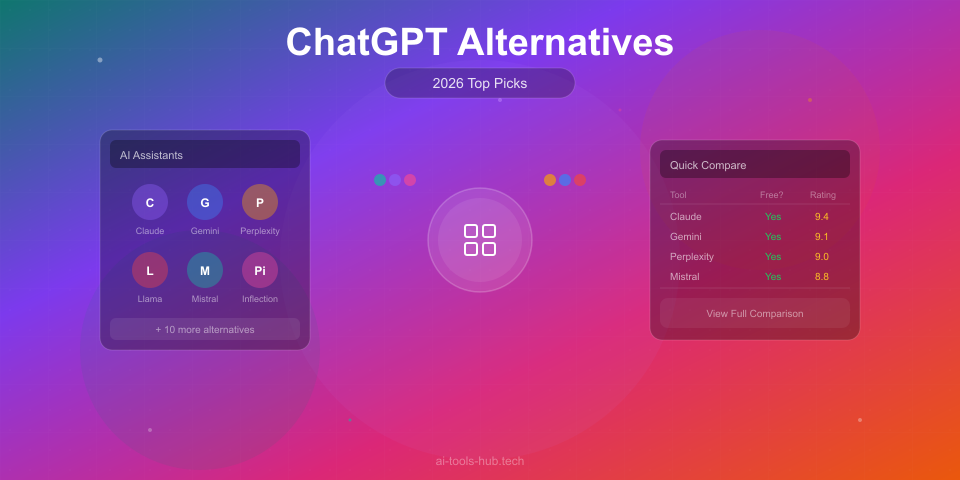
If you are canceling because you want a different tool, consider the following landscape in 2026. Note that features and pricing change frequently, so verify current details before switching.
Free Tiers
Most major AI providers, including OpenAI, now offer robust free tiers. If your usage is light (e.g., a few prompts per day), you may not need a paid subscription at all. The free tier of ChatGPT in 2026 includes access to core models and basic features, though with lower usage limits and potentially slower response times during peak hours.
Competitor Models
Other large language model providers offer subscriptions with different feature sets. Some focus heavily on coding, others on creative writing, and others on enterprise data analysis. If your primary use case is narrow, a specialized tool might be more cost-effective than a general-purpose subscription.
Integrated Solutions
For developers, integrated AI assistants within IDEs (like VS Code or JetBrains) may offer sufficient capability without a separate subscription. These tools often operate on a different billing model, such as per-token usage or included in a developer license.
Frequently Asked Questions
Q: Will I lose my chat history if I cancel? A: No. Your chat history remains in your account. However, certain advanced features that rely on long-term memory or specific model access may become unavailable or limited once your account reverts to the free tier.
Q: Can I resubscribe later? A: Yes. You can resubscribe at any time by visiting the billing section of your account or through your app store. Your previous subscription history does not prevent you from subscribing again.
Q: What happens at the end of my billing cycle? A: You will retain full access to your paid features until the end of the current billing period. After that, your account will automatically downgrade to the free tier. You will not be charged again unless you explicitly resubscribe.
Q: Why can’t I find the cancel button in the web app? A: If you subscribed through the iOS or Android app, the cancel button will not appear in the web interface. You must cancel through your Apple or Google account settings, as described above.
Q: Are there any hidden fees or penalties for canceling? A: No. OpenAI does not charge cancellation fees. You are entitled to a full refund only if you cancel within the specific window allowed by your app store (e.g., Apple’s 14-day refund policy) or if you have not yet used the service. Otherwise, you simply stop future charges.
Conclusion
Canceling your ChatGPT subscription in 2026 is a straightforward process, provided you know where you originally subscribed. Whether you are cutting costs, switching tools, or simply optimizing your workflow, the ability to manage your subscription is a key part of responsible tech usage. Take a moment to audit your AI spending. If the paid tier no longer serves your needs, cancel it. If it does, keep it. The choice is yours, and the tools are now transparent enough to make that choice with confidence.
AI Stock Predictions — Smart Market Analysis
AI-powered stock market forecasts and technical analysis. Get daily predictions for stocks, ETFs, and crypto with confidence scores and risk metrics.
See Today's PredictionsBuilding or marketing an AI tool?
Get listed, reviewed, or featured on AI Tools Hub — 12-month sponsored placements, multilingual. From $49.
AI Tools Hub Team
Expert AI Tool Reviewers
Our team of AI enthusiasts and technology experts tests and reviews hundreds of AI tools to help you find the perfect solution for your needs. We provide honest, in-depth analysis based on real-world usage.