Grammarly Review 2026: Best Grammar Checker with AI
Our comprehensive Grammarly review examines its AI writing features, grammar checking accuracy, pricing plans, and how it compares to other AI writing assistants in 2026.
1X2.TV — AI Football Predictions
AI-powered football match predictions, betting tips, and in-depth analysis. Powered by machine learning algorithms analyzing 50,000+ matches.
Get PredictionsGrammarly has been the gold standard in grammar checking software for years. But in 2026, it has evolved far beyond simple spell-checking into a full AI writing assistant. With generative AI features now built directly into the product, Grammarly is competing on two fronts: as both a writing correctness tool and an AI content creation platform.
We tested Grammarly extensively across its free, Premium, and Business tiers to determine whether it still deserves its reputation as the best grammar checker, and whether its newer AI features are worth the upgrade.
What Is Grammarly in 2026?
Grammarly started as a grammar and spelling checker, but today it is better described as an AI-powered writing companion. The platform operates as a browser extension, desktop app, mobile keyboard, and integrations with tools like Google Docs, Microsoft Word, Slack, and most email clients.
The core product still focuses on grammar, spelling, punctuation, and style corrections. But Grammarly has added substantial AI capabilities including full text generation, rewriting, tone adjustment, and contextual suggestions powered by large language models.
This dual identity is both its strength and its challenge. Grammarly excels at making your existing writing better, but it is still catching up to dedicated AI writers when it comes to generating content from scratch.
Grammarly Pricing Breakdown
| Plan | Monthly Price | Annual Price | Key Features |
|---|---|---|---|
| Free | $0 | $0 | Basic grammar, spelling, punctuation |
| Premium | $30/month | $12/month (billed annually) | Advanced grammar, tone detection, full AI assistant, plagiarism detection |
| Business | $25/user/month | $15/user/month (billed annually) | Team features, brand tones, analytics, admin controls, SAML SSO |
The annual pricing represents significant savings. Paying monthly for Premium costs $360 per year, while annual billing brings it down to $144. This is worth noting because Grammarly often highlights the monthly price, making it look more expensive than it needs to be.
Grammar and Style Checking: Still the Best
Let us start with what Grammarly does best. We ran 50 text samples through Grammarly and three competitor grammar checkers (ProWritingAid, LanguageTool, and the built-in checkers in Google Docs and Microsoft Word). Here are the results:
| Tool | Errors Caught | False Positives | Style Suggestions |
|---|---|---|---|
| Grammarly Premium | 94% | 3% | Extensive |
| ProWritingAid | 89% | 5% | Extensive |
| LanguageTool | 82% | 4% | Moderate |
| Google Docs | 71% | 2% | Minimal |
| Microsoft Word | 76% | 6% | Moderate |
Grammarly caught the most errors with the fewest false positives. Its suggestions are also the most contextually aware. For example, it correctly identified when a technically grammatical sentence was awkward or unclear, something the other tools missed frequently.
The Premium tier adds advanced checks for wordiness, passive voice overuse, unclear antecedents, split infinitives in formal writing, and inconsistent formatting. These suggestions are genuinely helpful for professional writing and go well beyond what any free tool offers.
Tone Detection
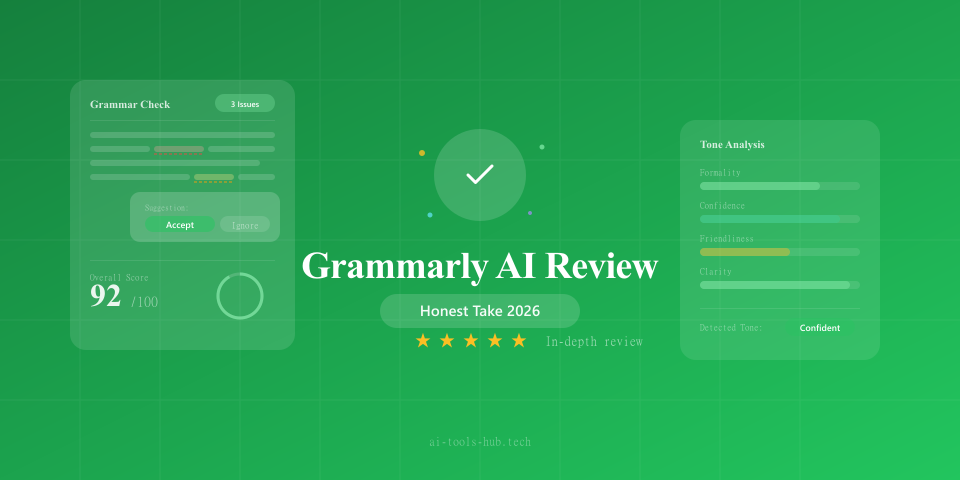
One of Grammarly’s standout features is real-time tone detection. As you write, it shows how your text is likely to be perceived. Labels like “confident,” “friendly,” “formal,” “diplomatic,” or “worried” appear based on your word choice and sentence structure.
This feature is surprisingly accurate and useful for professional communication. We tested it with emails that were intentionally written in various tones, and Grammarly correctly identified the primary tone about 85 percent of the time. For anyone who writes sensitive business communications, this alone is worth the Premium upgrade.
Plagiarism Detection
Grammarly Premium includes a plagiarism checker that scans your text against a database of over 16 billion web pages and academic papers. In our testing, it correctly flagged intentionally plagiarized passages and provided links to the original sources.
The plagiarism checker is particularly useful for content managers reviewing freelancer submissions or students checking their own work. However, it is not as comprehensive as dedicated tools like Turnitin for academic use.
Grammarly’s AI Writing Features
This is where things get interesting. Grammarly has added generative AI capabilities that let you create content, not just correct it.
GrammarlyGO
GrammarlyGO is the generative AI layer built into Grammarly. It can generate text from prompts, rewrite existing paragraphs, adjust tone, expand or shorten content, and create outlines. It works directly within any text field where the Grammarly extension is active.
In practice, GrammarlyGO is convenient but not as powerful as dedicated AI writing tools. We tested it against ChatGPT, Claude, and Jasper for several content generation tasks:
Blog post introduction: GrammarlyGO produced a clean, professional introduction but it was noticeably shorter and less detailed than what Claude or ChatGPT generated. The output was usable but felt like a starting point rather than a finished draft.
Email rewriting: This is where GrammarlyGO shines. Paste in a rough email, select a target tone, and it rewrites the message to match. The results were consistently excellent, often better than what we got from general-purpose AI tools because GrammarlyGO understands the context of professional communication.
Social media copy: GrammarlyGO handled short-form content well, producing punchy, platform-appropriate copy. Not quite as creative as Jasper’s marketing-focused outputs, but solid for quick social posts.
Long-form content generation: This is GrammarlyGO’s weakness. It can generate paragraphs and even full articles, but the output quality drops significantly for anything over 500 words. The content becomes repetitive and lacks the depth that Claude or ChatGPT can provide.
Contextual Rewriting
One of the most useful AI features is contextual rewriting. Select any sentence or paragraph, and Grammarly offers multiple rewrite options optimized for clarity, conciseness, formality, or engagement. Unlike basic paraphrasing tools, these rewrites maintain the original meaning while genuinely improving the prose.
We found this feature most valuable during editing. Instead of struggling to rephrase an awkward paragraph, you can see several alternatives instantly and pick the best one. For professional writers and editors, this saves meaningful time.
Browser Extension and Integration Experience
Grammarly’s biggest practical advantage is its ubiquity. The browser extension works in virtually every text field on the web. Compose an email in Gmail, write a LinkedIn post, fill out a form, or draft a Google Doc, and Grammarly is there providing real-time suggestions.
The extension is lightweight and rarely causes performance issues. It underlines errors with colored highlights (red for critical errors, blue for clarity suggestions, green for engagement, purple for delivery tone) and shows corrections in a small pop-up when you hover over them.
Integration quality varies by platform. Google Docs integration is excellent, with suggestions appearing inline just like in the native Grammarly editor. Microsoft Word integration works well but occasionally conflicts with Word’s own grammar checker. Slack integration is useful but can be intrusive when you are writing quick, informal messages.
The mobile keyboard for iOS and Android provides grammar checking as you type on your phone. It catches most errors but is less comprehensive than the desktop experience. The predictive text and autocorrect features are solid but not dramatically better than the built-in iOS or Android keyboards.
Who Should Use Grammarly?
Grammarly Free is worth installing for:
- Anyone who writes in English on a computer
- Students who want basic error catching
- Non-native English speakers who need spelling and grammar help
Grammarly Premium is worth paying for:
- Professional writers and editors who want advanced style suggestions
- Business professionals who write important emails and documents
- Content creators who want plagiarism checking
- Anyone who wants AI rewriting assistance integrated into their workflow
Grammarly Business makes sense for:
- Teams that need consistent writing quality standards
- Companies with brand voice guidelines
- Organizations that want writing analytics across their team
- Enterprises requiring SSO and admin controls
Pros and Cons
Pros:
- Best-in-class grammar and style checking accuracy
- Works everywhere through browser extension and integrations
- Tone detection is genuinely useful for professional communication
- AI rewriting features are well-integrated and practical
- Clean, non-intrusive user interface
- Strong mobile keyboard app
- Plagiarism detection included in Premium
Cons:
- Premium monthly pricing is steep at $30 per month (annual billing is much more reasonable)
- AI content generation quality lags behind dedicated tools
- GrammarlyGO has usage limits even on Premium
- Some advanced features feel locked behind the Business tier
- Occasional false positives with style suggestions in creative writing
- Privacy concerns for users handling sensitive documents (text is processed on Grammarly’s servers)
Grammarly vs. Alternatives
Grammarly vs. ProWritingAid ($30/year)
ProWritingAid is significantly cheaper and offers comparable grammar checking with stronger style analysis features for fiction and creative writers. However, Grammarly has better integrations, a cleaner interface, and superior AI features. For creative writers, ProWritingAid may be the better choice. For business professionals, Grammarly wins.
Grammarly vs. ChatGPT for Writing Assistance
ChatGPT is a more powerful content generator, but it cannot check your grammar in real time as you write across different applications. The two tools serve different purposes and work well together. Use ChatGPT to generate drafts and Grammarly to polish them.
Grammarly vs. LanguageTool (Free / $6.99/month)
LanguageTool is a strong open-source alternative that supports multiple languages and is significantly cheaper. Its grammar checking is good but not as accurate as Grammarly’s, and it lacks the AI writing features. For multilingual users on a budget, LanguageTool is worth considering.
Tips for Maximizing Grammarly
-
Use annual billing. The difference between $30/month and $12/month is substantial over a year.
-
Customize your writing goals. Tell Grammarly about your audience, formality level, and domain to get more relevant suggestions.
-
Add custom words to your dictionary. Technical terms, brand names, and industry jargon should be added so Grammarly stops flagging them.
-
Use the tone detector before sending important emails. It takes two seconds and can prevent miscommunication.
-
Combine with a dedicated AI writer. Use Claude or ChatGPT for drafting and Grammarly for editing and polishing.
The Verdict
Grammarly earns an 8.5 out of 10 in our review. It remains the best grammar checking tool available, and the addition of AI features makes it more versatile than ever. The tone detection, contextual rewriting, and ubiquitous browser integration create genuine value for anyone who writes professionally.
However, if you are looking primarily for an AI content generator, Grammarly is not the best choice. Its generative capabilities are convenient but limited compared to dedicated tools. The sweet spot is using Grammarly as your always-on writing quality layer while pairing it with a separate AI tool for content creation.
Our recommendation: Install Grammarly Free immediately if you have not already. Upgrade to Premium on annual billing ($12/month) if you write professionally. Consider Business if you manage a team and need consistent writing standards across your organization.
We independently test and review AI tools. While some links may be affiliate links, this never influences our editorial recommendations. Read our disclaimer for more details.
AI Stock Predictions — Smart Market Analysis
AI-powered stock market forecasts and technical analysis. Get daily predictions for stocks, ETFs, and crypto with confidence scores and risk metrics.
See Today's PredictionsAI Tools Hub Team
Expert AI Tool Reviewers
Our team of AI enthusiasts and technology experts tests and reviews hundreds of AI tools to help you find the perfect solution for your needs. We provide honest, in-depth analysis based on real-world usage.