GitHub Copilot Review 2026: Is It Worth $10/Month for Developers?
An in-depth review of GitHub Copilot in 2026 covering features, pricing, pros, cons, and whether the $10/month Individual plan delivers real productivity gains for developers.
1X2.TV — AI Football Predictions
AI-powered football match predictions, betting tips, and in-depth analysis. Powered by machine learning algorithms analyzing 50,000+ matches.
Get PredictionsGitHub Copilot has been the default AI coding assistant since its launch in 2022, and heading into 2026 it still holds the largest market share among professional developers. But the competition has intensified dramatically. Cursor, Codeium, and Amazon Q Developer are all fighting for your editor’s real estate. So is GitHub Copilot still worth $10 per month in 2026, or have the alternatives caught up?
We spent three weeks using Copilot as our primary coding assistant across Python, TypeScript, Go, and Rust projects to find out.
What Is GitHub Copilot?
GitHub Copilot is an AI-powered code completion and chat assistant developed by GitHub in partnership with OpenAI. It integrates directly into your code editor and provides real-time suggestions as you type, along with a chat interface for asking questions about your code.
Since its original release, Copilot has expanded from simple inline completions to a broader platform that includes chat, workspace indexing, CLI assistance, and pull request summaries. The underlying models have been upgraded multiple times, and the current version leverages a combination of GPT-4o and custom fine-tuned models optimized for code.
Pricing Breakdown
GitHub Copilot offers three tiers in 2026:
| Plan | Price | Key Features |
|---|---|---|
| Individual | $10/month or $100/year | Inline completions, Copilot Chat, CLI support |
| Business | $19/month per user | Organization policy controls, audit logs, IP indemnity |
| Enterprise | $39/month per user | Fine-tuned models, knowledge bases, advanced security |
The Individual plan is what most solo developers and freelancers will use. The Business plan adds team management features, and Enterprise includes the ability to create custom models trained on your organization’s codebase.
There is also a free tier for verified students and open-source maintainers, which provides access to the Individual plan features at no cost.
Setup and Getting Started
Getting Copilot running takes about two minutes. Install the GitHub Copilot extension in VS Code or your JetBrains IDE, sign in with your GitHub account, and you are ready to go. The extension is also available for Neovim, Visual Studio, and the GitHub CLI.
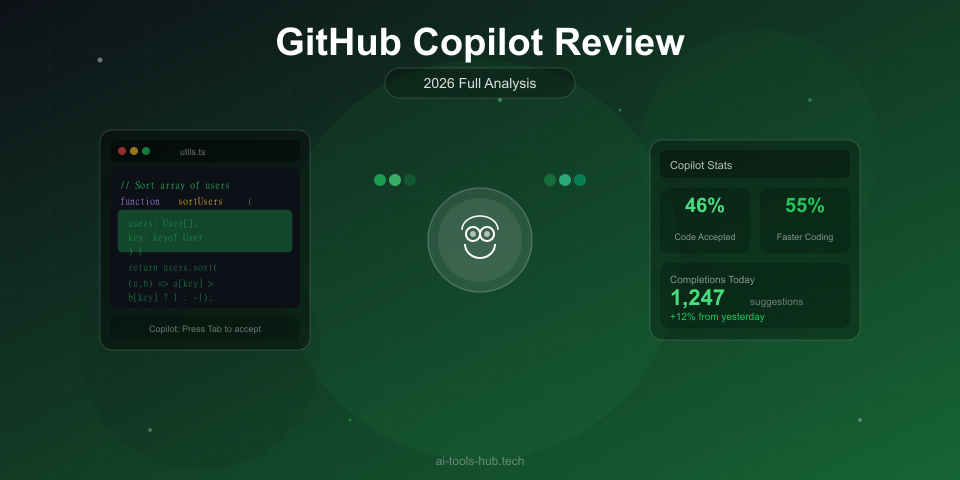
The initial experience is seamless. Start typing and gray ghost text appears with suggested completions. Press Tab to accept, or keep typing to ignore the suggestion. There is essentially zero learning curve if you have used any autocomplete tool before.
For Copilot Chat, you open a sidebar panel and can ask questions about your code, request explanations, or ask for refactoring suggestions. The chat interface understands the context of your currently open file and, with workspace indexing enabled, can reference other files in your project.
Inline Code Completion
This remains Copilot’s bread and butter, and it is genuinely good in 2026. The completions are fast, typically appearing in under 200 milliseconds, and the quality has improved noticeably over the past year.
What works well:
- Single-line completions are accurate the vast majority of the time. Variable names, function calls, and common patterns are almost always correct.
- Multi-line suggestions have gotten significantly better. Writing a function signature and a docstring often produces a complete, correct implementation.
- Language breadth is excellent. We got strong results in Python, TypeScript, Go, Rust, SQL, and even Terraform and YAML configuration files.
- Comment-driven coding works reliably. Write a comment describing what you want, and the suggestion usually matches your intent.
Where it struggles:
- Complex business logic that requires understanding multiple files still produces incorrect suggestions more often than not.
- Hallucinated APIs remain an issue. Copilot occasionally suggests methods or parameters that do not exist, especially for less popular libraries.
- Overly verbose completions sometimes appear when you only need a single line. The tool occasionally tries to write an entire function when you just want to complete one statement.
In our testing, we accepted Copilot’s inline suggestions without editing about 62 percent of the time across all languages. Python was the strongest at 64 percent, and Rust was the weakest at 48 percent. These numbers represent a meaningful productivity boost — you are essentially getting free correct code more than half the time you pause to let it suggest.
Copilot Chat
The chat feature has matured considerably. In 2026, Copilot Chat is a capable conversational assistant that can explain code, suggest fixes, write tests, and help with debugging.
Strengths:
- The
/explaincommand produces clear, well-structured explanations of complex code blocks. - The
/fixcommand identifies bugs and suggests corrections with reasonable accuracy. - The
/testscommand generates unit test scaffolding that usually compiles and covers the main cases. - Workspace mode lets you reference your entire repository, not just the open file. Ask about how a function is used across the project and it finds the relevant call sites.
Weaknesses:
- Chat responses can be generic when the question requires deep domain knowledge.
- Multi-step refactoring through chat requires a lot of back-and-forth compared to Cursor’s Composer mode.
- The context window, while larger than before, still cannot match Cursor or Claude for very large codebases.
- Occasionally provides outdated information about libraries or APIs, suggesting deprecated patterns.
For quick questions and targeted fixes, Copilot Chat is excellent. For complex architectural discussions or large-scale refactoring, you will likely want a more powerful reasoning tool like Claude.
Copilot in the CLI
GitHub Copilot now extends to the command line through gh copilot. You can ask it to explain commands, suggest shell scripts, or help debug terminal errors. This is a surprisingly useful feature that many developers overlook.
For example, you can type gh copilot suggest "find all files larger than 100MB modified in the last week" and get a working command. It handles complex piped commands, awk patterns, and tool-specific flags better than most developers could write from memory.
The CLI integration also works for git commands, which is helpful when you need to construct a complex rebase, cherry-pick, or log filter.
Performance and Latency
Speed matters for code completion. If suggestions take more than half a second, they break your typing flow and become an interruption rather than an acceleration.
Copilot performs well here. In our testing on a standard fiber connection, inline suggestions appeared in 150 to 250 milliseconds on average. Chat responses started streaming within one to two seconds for most queries.
We did notice occasional slowdowns during peak hours, likely due to server load, but these were infrequent and rarely lasted more than a few seconds. On slower connections, the latency was more noticeable, with completions sometimes taking 400 to 500 milliseconds.
Compared to Cursor, Copilot is slightly faster for simple inline completions but slower for complex multi-file operations. Compared to Tabnine’s local models, Copilot is a bit slower since it requires a network round trip, but the quality difference more than compensates.
IDE Support
Copilot supports a wide range of editors:
- VS Code — Best experience, with full Chat, inline completions, and workspace indexing
- JetBrains IDEs — IntelliJ, PyCharm, WebStorm, GoLand, and others. Solid but slightly behind VS Code in feature rollout
- Neovim — Plugin available with inline completions and chat via a separate panel
- Visual Studio — Full support in Visual Studio 2022
- GitHub CLI — Terminal-based assistance
The VS Code experience is clearly the most polished. New features land there first, and the integration feels the most natural. JetBrains support is good but typically receives updates a few weeks after VS Code. Neovim support is functional but barebones compared to the GUI editors.
Privacy and Security
For individual developers, Copilot sends code snippets to GitHub’s servers for processing. Your code is not used to train models (GitHub made this change in 2023), but it does leave your machine temporarily.
The Business plan adds organization-level policy controls, IP indemnity protection, and audit logging. Enterprise adds the ability to exclude specific files or repositories from being processed.
If your organization has strict data residency requirements, this cloud-based processing may be a concern. Tabnine’s on-premises deployment option would be a better fit in that scenario.
GitHub also offers a content filter that blocks suggestions matching public code. This helps avoid accidentally incorporating GPL-licensed code into a proprietary project, though it is not foolproof.
What Is New in 2026
Several notable updates have arrived this year:
- Copilot Workspace lets you describe a feature or bug fix in natural language, and Copilot creates a plan, generates code changes across multiple files, and opens a pull request. This is still in preview but shows the direction GitHub is heading.
- Multi-model support now allows switching between different underlying models for different tasks, with GPT-4o for chat and faster models for inline completions.
- Improved context awareness through better workspace indexing means Copilot understands your project structure more deeply than before.
- Pull request summaries automatically generate descriptions for your PRs based on the code changes, saving time on documentation.
- Security vulnerability detection now flags known vulnerability patterns in suggested code before you accept them.
Who Should Use GitHub Copilot?
Copilot is ideal for:
- Developers who want a reliable, low-maintenance AI assistant that works in their existing editor
- Teams that already use GitHub for version control and want tight integration
- Freelancers and solo developers who want the best balance of quality and price
- Polyglot developers who work across multiple languages and frameworks
Copilot is not ideal for:
- Developers who need deep multi-file refactoring (consider Cursor instead)
- Teams with strict code privacy requirements (consider Tabnine Enterprise)
- Budget-conscious developers who need a free tool (consider Codeium)
- Developers who primarily work in a browser-based IDE (consider Replit AI)
Copilot vs the Competition
How does Copilot stack up against the main alternatives in 2026?
vs Cursor: Cursor offers superior multi-file editing through Composer mode and generally better context awareness for large codebases. But it requires switching to a new editor, costs $20 per month, and has a smaller extension ecosystem. Copilot wins on price, ecosystem breadth, and the ability to stay in your preferred editor.
vs Codeium/Windsurf: Codeium’s free tier is genuinely competitive and suitable for many developers. Copilot has noticeably better suggestion quality, especially for complex code, but the gap has narrowed. If budget is your primary concern, Codeium is worth trying first.
vs Amazon Q Developer: Amazon’s tool excels specifically for AWS development but falls behind Copilot for general-purpose coding. If you spend most of your time writing CloudFormation templates and Lambda functions, Q Developer adds value. For everything else, Copilot is better.
vs Tabnine: Tabnine’s main advantage is on-premises deployment and privacy. On pure code completion quality, Copilot is meaningfully ahead. Choose Tabnine if privacy is your top priority; choose Copilot for everything else.
Pros and Cons Summary
Pros:
- Fast, accurate inline completions across virtually every language
- Excellent VS Code and JetBrains integration
- Copilot Chat is capable and improving rapidly
- $10/month is reasonable for the productivity gains
- Workspace indexing provides good project-level context
- Regular updates and new features from GitHub
Cons:
- Multi-file refactoring is still weaker than Cursor
- Occasional API hallucinations with less popular libraries
- Cloud-based processing means code leaves your machine
- Context window is smaller than competitors like Cursor and Claude
- Chat can be generic for complex architectural questions
- New features often arrive in VS Code before other editors
The Verdict: Is GitHub Copilot Worth $10 per Month?
Yes. For the majority of developers, GitHub Copilot remains the best default choice for an AI coding assistant in 2026. The combination of fast inline completions, a capable chat interface, broad IDE support, and tight GitHub integration makes it the most practical option for most workflows.
The $10 per month Individual plan pays for itself if it saves you even 30 minutes per month — and in our experience, it saves significantly more than that. The accepted suggestion rate of 62 percent means you are getting correct, usable code completions more often than not.
That said, power users who want the absolute best multi-file editing experience should look at Cursor, and developers who need code privacy should evaluate Tabnine. But for the vast majority of developers who want a reliable, well-integrated AI assistant without changing their workflow, Copilot remains the tool to beat.
Our Rating: 9.3 out of 10
If you are comparing multiple tools, check out our comprehensive guide to the best AI coding assistants in 2026 for a side-by-side breakdown.
This article contains affiliate links. If you purchase through our links, we may earn a commission at no extra cost to you. See our affiliate disclaimer for details.
AI Stock Predictions — Smart Market Analysis
AI-powered stock market forecasts and technical analysis. Get daily predictions for stocks, ETFs, and crypto with confidence scores and risk metrics.
See Today's PredictionsAI Tools Hub Team
Expert AI Tool Reviewers
Our team of AI enthusiasts and technology experts tests and reviews hundreds of AI tools to help you find the perfect solution for your needs. We provide honest, in-depth analysis based on real-world usage.