Amazon CodeWhisperer Review 2026: Free AI Coding from AWS
A detailed review of Amazon CodeWhisperer (now Amazon Q Developer) in 2026. We cover its AWS-specific strengths, free tier, security scanning, and how it compares to Copilot.
1X2.TV — AI Football Predictions
AI-powered football match predictions, betting tips, and in-depth analysis. Powered by machine learning algorithms analyzing 50,000+ matches.
Get PredictionsAmazon CodeWhisperer launched in 2023 as AWS’s answer to GitHub Copilot. Since then, Amazon has rebranded and expanded it into Amazon Q Developer, a broader AI assistant that goes beyond code completion to cover AWS operations, troubleshooting, and infrastructure management. But most developers still know it as CodeWhisperer, and the code completion engine remains the heart of the product.
The big draw is the free Individual tier, which offers genuine AI coding assistance at no cost. But how does the quality compare to paid alternatives? We spent three weeks testing Amazon Q Developer to find out where it shines and where it falls short.
What Is Amazon Q Developer?
Amazon Q Developer is an AI-powered developer assistant built by AWS. It includes code completion, chat assistance, security scanning, code transformation, and AWS operations support. The code completion component, originally called CodeWhisperer, provides real-time inline suggestions as you type.
The tool is designed to work with any programming language but has particular strengths with AWS services. If you write code that interacts with AWS SDKs, CloudFormation, CDK, or any AWS API, the suggestions are noticeably better than what general-purpose tools provide.
Pricing
| Plan | Price | Key Features |
|---|---|---|
| Individual | Free | Code completions, chat, security scanning, reference tracking |
| Pro | $19/month per user | Higher limits, admin controls, organizational features |
The free Individual tier is genuinely useful, not a crippled trial. You get code completions, a chat assistant, and security scanning without any payment information required. The main limitations are lower usage caps and the absence of organizational management features.
The Pro tier at $19 per month is part of the broader Amazon Q platform, which includes additional features beyond coding such as AWS console assistance and operational troubleshooting.
Setup
Amazon Q Developer is available as an extension for VS Code and JetBrains IDEs. Installation follows the standard pattern: find the extension in the marketplace, install it, and sign in with your AWS Builder ID (free) or AWS IAM Identity Center credentials.
The setup is straightforward, though the authentication flow through AWS can be slightly more complex than GitHub Copilot’s simple GitHub sign-in. If you already have an AWS account, you can be up and running in about five minutes.
One important note: unlike Copilot which works purely as an IDE extension, Amazon Q Developer also has a web interface through the AWS console. This lets you ask questions about your AWS infrastructure, get help with service configurations, and troubleshoot operational issues directly in the browser.
Code Completion Quality
The quality story for Amazon Q Developer is a tale of two experiences: AWS-specific code and everything else.
AWS-specific code is where the tool genuinely excels. When writing Lambda function handlers, configuring S3 clients, building DynamoDB queries, or writing CloudFormation templates, the suggestions are detailed, accurate, and often superior to what Copilot produces. The model clearly has deep training on AWS patterns and best practices.
For example, when setting up an S3 client with specific configuration options, Amazon Q Developer suggests the correct configuration structure including error handling, retry logic, and region configuration. It knows the AWS SDK parameter names and types with high accuracy.
General-purpose coding is where the tool falls behind. For standard Python, TypeScript, or Go code that does not involve AWS services, the completion quality is noticeably weaker than GitHub Copilot or Cursor. Our benchmarks showed:
| Language/Context | Amazon Q | GitHub Copilot | Cursor |
|---|---|---|---|
| Python (general) | 52% | 64% | 68% |
| TypeScript (general) | 46% | 62% | 65% |
| Python (AWS SDK) | 71% | 58% | 55% |
| CloudFormation/CDK | 68% | 45% | 42% |
The gap is clear. For AWS work, Amazon Q Developer is the best tool available. For everything else, it lags behind the leading competitors.
What works well:
- AWS SDK calls across all supported languages
- CloudFormation and CDK template generation
- IAM policy construction with correct syntax
- Lambda function boilerplate and handler patterns
- DynamoDB query construction with proper key expressions
Where it struggles:
- React and frontend development suggestions are generic
- Algorithm implementation quality is below Copilot
- Less effective with uncommon or newer libraries
- Multi-line completions outside of AWS contexts are less ambitious
Security Scanning
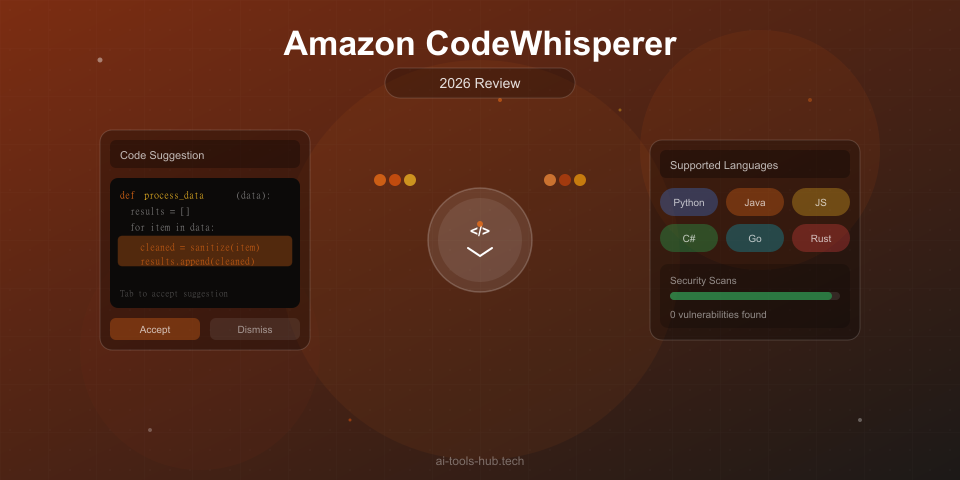
Amazon Q Developer includes a built-in security scanner that analyzes your code for vulnerabilities as you write it. This is a genuinely valuable feature that most competitors charge extra for or do not offer at all.
The scanner checks for common security issues including:
- Hardcoded credentials and secrets
- SQL injection vulnerabilities
- Cross-site scripting (XSS) patterns
- Insecure cryptographic practices
- Improper input validation
- Outdated or vulnerable dependency patterns
In our testing, the security scanner caught several real issues that we intentionally introduced, including a hardcoded database password and an unparameterized SQL query. It also flagged a few false positives, but the signal-to-noise ratio was acceptable.
This feature is available on the free tier, which makes it an excellent complement to other AI coding tools. Even if you use Copilot or Cursor as your primary assistant, running Amazon Q Developer alongside it purely for the security scanning adds value.
Reference Tracking
Another unique feature is reference tracking. When a code suggestion closely matches existing open-source code, Amazon Q Developer identifies the source and its license. This transparency helps you make informed decisions about whether to accept suggestions that might carry licensing obligations.
If a suggestion is flagged as matching Apache 2.0 licensed code, you can accept it knowing your project is compatible. If it matches GPL code and your project is proprietary, you know to skip it.
This feature is particularly valuable for legal and compliance teams that worry about the intellectual property implications of AI-generated code. While not perfect, it provides significantly more transparency than most competitors.
Chat Capabilities
The chat assistant in Amazon Q Developer can answer questions about your code, explain AWS service concepts, help debug errors, and suggest implementations. The quality varies by topic:
Strong areas:
- AWS service configuration and best practices
- Explaining AWS error messages and how to resolve them
- Suggesting architecture patterns for AWS-based applications
- Helping migrate between AWS service versions
Weaker areas:
- General programming questions (Copilot Chat is better)
- Complex refactoring suggestions
- Explaining non-AWS frameworks and libraries
- Multi-file code changes
The chat is most useful when you are working within the AWS ecosystem and need guidance on service-specific questions. For general coding assistance, other tools provide better conversational experiences.
Code Transformation
A newer feature is code transformation, which can help upgrade codebases between language versions. The most mature transformation path is Java 8 to Java 17, which handles many of the API changes, deprecated method replacements, and new syntax opportunities automatically.
Additional transformation paths are being added, but as of early 2026, Java remains the most reliable. If your organization has a large Java 8 codebase that needs modernization, this feature alone could justify the Pro subscription.
Performance
Amazon Q Developer’s response times are acceptable but not class-leading. In our testing:
- Inline completions appeared in 200 to 400 milliseconds on average
- Chat responses started streaming in two to three seconds
- Security scans completed within seconds for individual files
The latency is slightly higher than GitHub Copilot, which typically responds in 150 to 250 milliseconds. The difference is noticeable in rapid coding sessions but not dramatic enough to disrupt workflow.
We did observe more variability in response times than with Copilot, with occasional spikes to 600 milliseconds or more during what appeared to be high-load periods. This was more noticeable on the free tier than on Pro.
IDE Support
Amazon Q Developer supports:
- VS Code — Full feature set including completions, chat, and security scanning
- JetBrains IDEs — IntelliJ, PyCharm, and other JetBrains products
- AWS Console — Web-based chat interface for operational questions
- AWS CLI — Command-line assistance
Notably absent is support for Neovim, Emacs, Sublime Text, and other editors. If you use anything outside of VS Code or JetBrains, Amazon Q Developer is not an option for inline completions. You can still use the web chat interface, but you miss the primary code completion feature.
Who Should Use Amazon Q Developer?
Amazon Q Developer is ideal for:
- Developers who build primarily on AWS infrastructure
- Teams that want free AI coding assistance with no strings attached
- Organizations that value built-in security scanning
- Java teams that need code transformation for language version upgrades
- Developers who want reference tracking for licensing compliance
Amazon Q Developer is not ideal for:
- Developers who primarily write frontend or non-AWS backend code
- Teams that need the highest possible general-purpose completion quality
- Developers using editors outside VS Code and JetBrains
- Teams that need strong multi-file editing capabilities
- Developers who prioritize chat quality for complex reasoning tasks
Our Recommended Approach
The most effective way to use Amazon Q Developer in 2026 is as a complement to your primary AI assistant, not as a replacement. Run it alongside GitHub Copilot or Cursor and let it shine in its strong areas:
- Primary assistant (Copilot or Cursor) handles general coding
- Amazon Q Developer provides AWS-specific suggestions and security scanning
- Use the Q Developer chat specifically for AWS architecture and troubleshooting questions
This two-tool approach gives you the best of both worlds: top-tier general completions plus specialized AWS assistance and free security scanning.
Pros and Cons Summary
Pros:
- Genuinely useful free tier with no payment required
- Best-in-class suggestions for AWS SDK and infrastructure code
- Built-in security scanning catches real vulnerabilities
- Reference tracking provides licensing transparency
- Code transformation helps with language version upgrades
- No code retention on AWS servers
Cons:
- General-purpose completion quality lags behind Copilot and Cursor
- Chat capabilities are weaker than competitors for non-AWS topics
- Limited IDE support (VS Code and JetBrains only)
- Higher latency than Copilot on average
- Free tier has lower usage limits during peak times
- Multi-file editing capabilities are minimal
The Verdict
Amazon Q Developer is the best AI coding tool for AWS development and a genuinely valuable free option for any developer. The security scanning alone makes it worth installing alongside your primary assistant, and the AWS-specific suggestion quality is unmatched.
However, as a standalone general-purpose AI coding assistant, it falls behind GitHub Copilot and Cursor. The completion quality for non-AWS code is measurably weaker, the chat is less capable, and the IDE support is narrower.
Our recommendation: install it for free alongside your primary tool. Use it when writing AWS code and benefit from the security scanning at all times. If you are an AWS-heavy team, the Pro plan adds value. But do not rely on it as your only AI coding assistant unless your work is almost exclusively within the AWS ecosystem.
Our Rating: 8.0 out of 10
See how it compares in our best AI coding assistants guide.
This article contains affiliate links. If you purchase through our links, we may earn a commission at no extra cost to you. See our affiliate disclaimer for details.
AI Stock Predictions — Smart Market Analysis
AI-powered stock market forecasts and technical analysis. Get daily predictions for stocks, ETFs, and crypto with confidence scores and risk metrics.
See Today's PredictionsAI Tools Hub Team
Expert AI Tool Reviewers
Our team of AI enthusiasts and technology experts tests and reviews hundreds of AI tools to help you find the perfect solution for your needs. We provide honest, in-depth analysis based on real-world usage.